![Featured image of post [AdSense #4] Reuniting with 10-Year-Old Earnings: The Final Payout Journey](/ko/adsense-payout-experience-and-fees/cover_hu_b3794c87150eff2c.webp)
Direct Answer & TL;DR
- Earnings Longevity: Even revenue generated a decade ago can be successfully paid out as long as your payment methods and tax info are correctly configured.
- Timeline: It took exactly 7 days from opening the bank account (Jan 17) to receiving the final remittance advice (Jan 23).
- Fee Preference: Discrepancies in the sender’s name prevented the fee preference service from being applied.
Bridging a 10-Year Gap
My journey with Google AdSense began nearly a decade ago. Back then, I managed to cross the minimum payout threshold ($100), but for various reasons, I never finalized the payment settings. The earnings remained dormant in my account until now. With the restart of this blog, I finally decided to have those digital numbers deposited into my bank account.
While the cost of living has skyrocketed over the past decade, my earnings remained “cryogenically frozen” in time (sad). On the bright side, the exchange rate has climbed significantly since then, which serves as a small but welcome consolation prize.
The bottom line: Old earnings are safe and payable. However, I am documenting the ‘hidden fee’ obstacles encountered along the way.
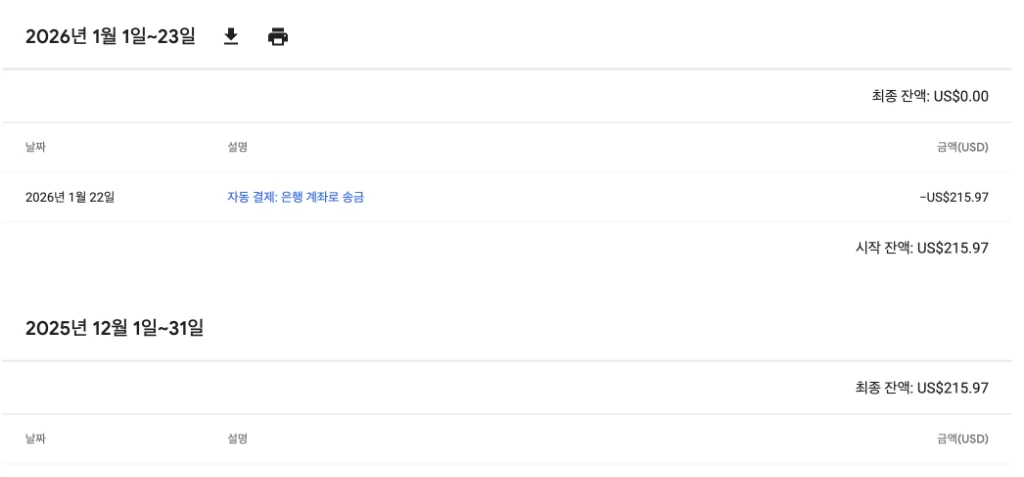 The emotional moment when $215.97, dormant for 10 years, was finally paid out, bringing the balance to $0.00. (The majesty of that starting balance… lol)
The 7-Day Payout Timeline
Here is the structured chronology from bank setup to receiving the funds.
| Date | Milestone | Details |
|---|---|---|
| Jan 17 | Account Opening | Opened a Hana Bank ‘Million Dollar Account’ via mobile app and joined the YouTuber Auto-Deposit service. |
| Jan 21 | Tax Configuration | Submitted US Tax Info (W-8BEN) and applied for Hometax Residency Certificate. |
| Jan 22 | Full Approval | Residency Certificate issued; Singapore Tax info submitted and all approved. |
| Jan 22 | Payment Notice | Received “Google AdSense: Check your recent payment” email. |
| Jan 23 | Remittance Advice | Received ADVICE OF REMITTANCE email from Hana Bank. |
[!TIP] The email is not the final step! Even if you receive the
ADVICE OF REMITTANCEemail from Hana Bank, the funds are not yet in your account. Due to foreign exchange regulations, you must manually confirm the reason for receipt and finalize the deposit to receive the funds.
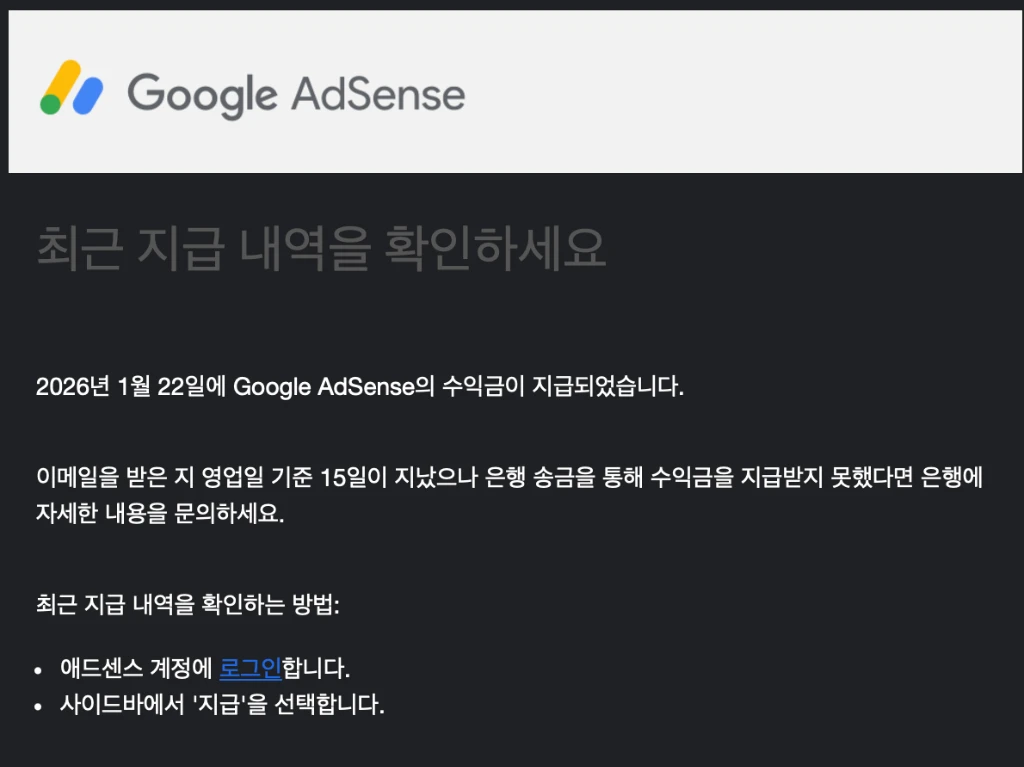 The official email from Google AdSense notifying that a payout has been dispatched.
Email Notification from Hana Bank (ADVICE OF REMITTANCE)
After Google dispatches the payout, a few days later you will receive an ADVICE OF REMITTANCE email from Hana Bank. This is the official signal that the funds have arrived at the local bank in Korea.
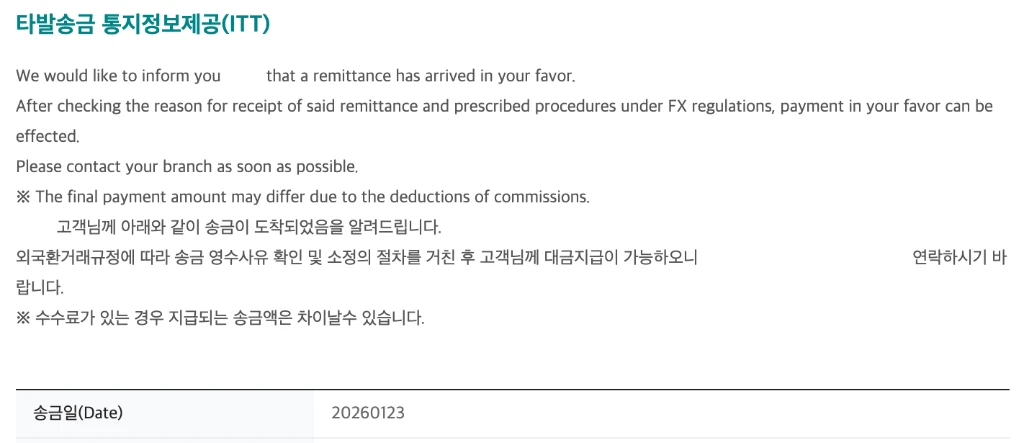 The Incoming Telegraphic Transfer (ITT) notification received from Hana Bank.
While the email confirmed the arrival of the funds, the actual deposit details in my bank app told a slightly different story regarding the final amount.
⚠️ Payout Analysis: Fee Issues & The Final Twist
When the funds finally arrived, the amount was slightly less than expected. Analysis revealed two distinct technical issues.
Intermediary Bank Fee ($5)
Out of the original $215.97 sent by Google, a $5 intermediary bank fee was deducted during transit, leaving $210.97 upon arrival at Hana Bank. This is a standard fee charged during international wire transfers and is separate from local bank charges.
A Receipt Fee of ~$10 ($6.81)
In my previous post, I highlighted the YouTuber (AdSense) Auto-Deposit preferential service, which waives receipt fees. Surprisingly, I failed to receive this benefit due to the abbreviation difference. When I checked the [Receive Incoming Remittance] menu in the Hana 1Q app, I was informed that I could receive $204.16 after a deduction of $6.81 as a standard receipt fee.
| Stage | Amount | Notes |
|---|---|---|
| Original Remittance | $215.97 | Amount shown on AdSense dashboard |
| Intermediary Fee | -$5.00 | Deducted before reaching Hana Bank |
| Receipt Fee (Hana) | -$6.81 | ~$10 KRW (Preferential service failed) |
| Final Net Amount | $204.16 | Actual amount credited |
[!TIP] Fee Saving Tip: Increase Your Payout Threshold International remittance fees are charged ‘per transaction’. If your monthly earnings are just over $100, paying fees every month can add up. A smart strategy is to increase your payout threshold in AdSense settings from the default $100 to a higher amount (e.g., $500 or $1,000) to reduce the frequency of fee deductions.
In conclusion, out of the original $215.97 sent by Google, a total of $11.81 (approximately 20,000 KRW) was deducted as fees, leaving a final net amount of $204.16.
Why Did Google Send the Transfer as ‘LIMITED’ Instead of ‘LTD’?
Can you spot the difference between these two names?
GOOGLE ASIA PACIFIC PTE LTD(Registered in the banking system)GOOGLE ASIA PACIFIC PTE LIMITED(Sender name)
Could it be because this is AdSense revenue rather than YouTuber revenue? Although LTD (Ltd.) and LIMITED (Limited) have the exact same meaning (standing for ‘Limited Company’), the banking system treated them as different entities.
Despite having the same meaning, this difference was enough for the system to reject the automated benefit. As a result, the YouTuber (AdSense) Auto-Deposit service was not applied. If anyone knows the exact reason why Google insisted on the full name, please let me know! lol
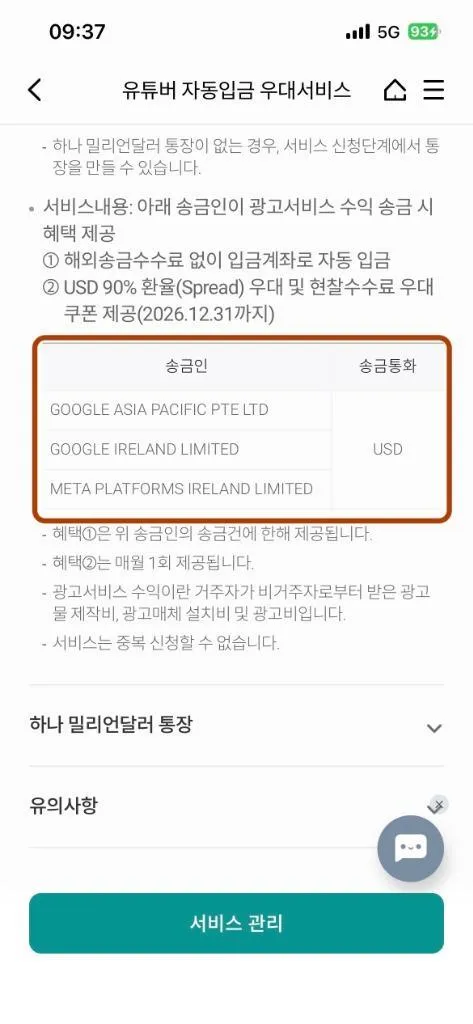 The list of eligible senders for the preferential service. Minor name discrepancies can be costly.
[!NOTE] 📞 Hana Bank System Update According to a consultant inquiry, starting January 27, 2026, the ‘YouTuber Auto-Deposit’ system will be updated to automatically recognize
GOOGLE ASIA PACIFIC PTE LIMITEDas an eligible sender. Future payouts from February onwards should no longer suffer from this specific fee mismatch.
📱 Manual Receipt Process: Direct Action in Hana 1Q
In practice, even if you have applied for an automatic deposit service, a manual receipt process is typically required to confirm the reason for the remittance and comply with foreign exchange regulations. This steps is often necessary regardless of fee waivers. You can complete this via the Hana 1Q app as follows:
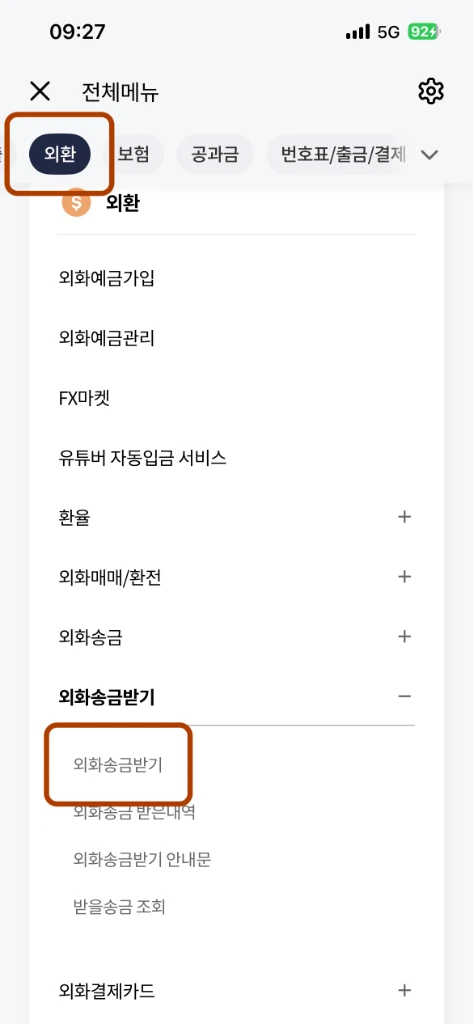 Navigate through the [FX] menu to [Receive Incoming Remittance] for manual processing.
- Open the Hana 1Q app and tap the [All Menu] icon at the bottom.
- Navigate to [FX] > [Receive Incoming Remittance] > [Receive Incoming Remittance].
- Verify the incoming remittance and tap [Deposit].
- Select Reason for Receipt:
- Category:
Resident's Business Income(Most accurate for tax purposes) orOther Income / Gift - Detail:
Ad Revenue(Transaction Code: 940300)
- Category:
- Confirm the final details to finalize the deposit.
[!TIP] Choosing a Reason: AdSense revenue is fundamentally classified as ‘Business Income’ from ‘Ad Revenue (940300)’. For consistency with Korean tax reporting (Global Income Tax), selecting
Resident's Business Income>Ad Revenueis highly recommended. If the amount is very small and occasional, some users useOther Incomefor simplicity.
Once manually confirmed, the funds will be immediately reflected in your foreign currency account.
Conclusion: A 10-Year Wait, Finally Complete
The dream of ‘monetizing passion’ from ten years ago has finally become a reality. This payout process was about more than just numbers hitting my bank account—it was a genuinely fun experience. Even though the revenue had been dormant for a decade, the entire journey of finally seeing it deposited into my account was an enjoyable and rewarding process. Although the fee preference was not applied, it felt like a small act of “patriotism” to bring dollars into the country during this high exchange rate era, and receiving payouts in foreign currency directly from Google was a great experience. Let’s all get started together!