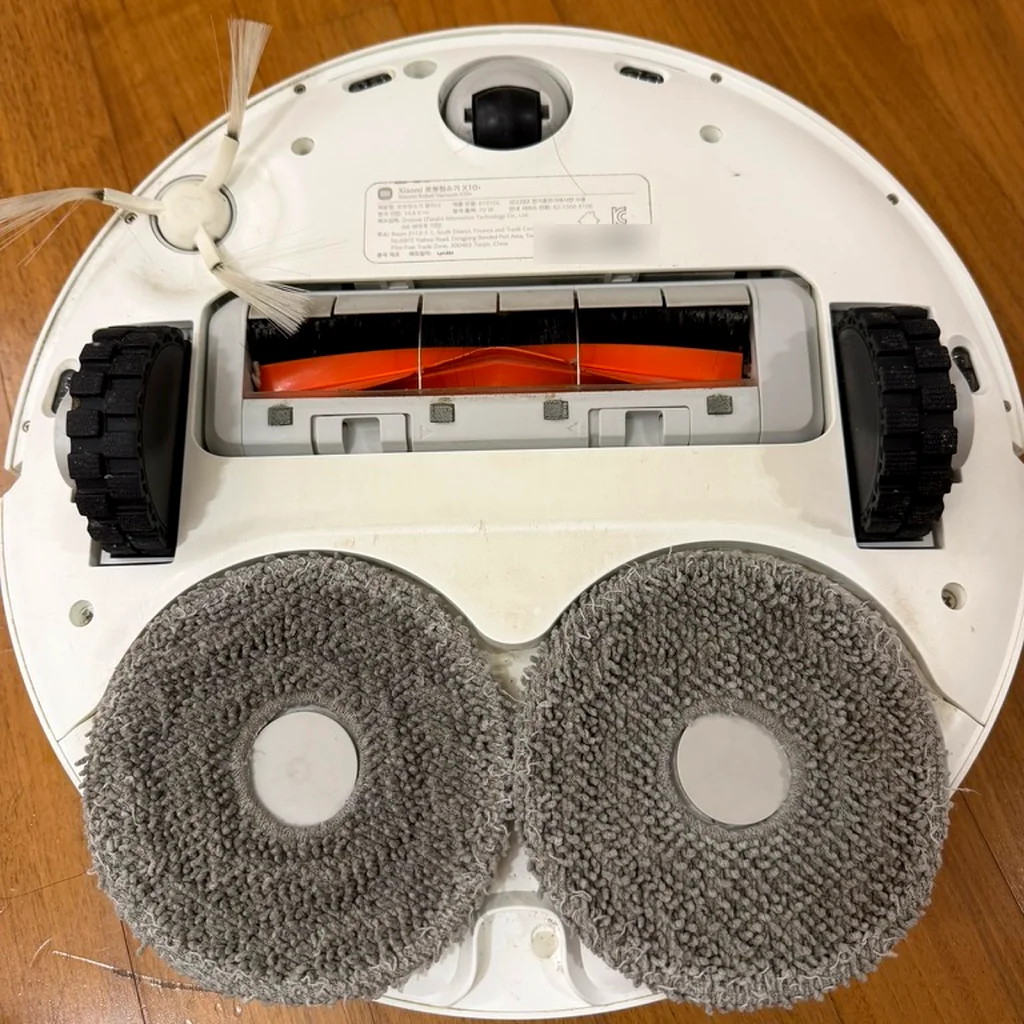
 Flipped over. Nothing looks wrong from the outside.
Direct Answer & TL;DR
My Xiaomi X10+ robot vacuum charged fine on its dock, then stopped the moment it drove off to clean. I suspected the battery and bought a compatible 14.4V 5200mAh replacement on AliExpress for US $14.65. Popped the bottom cover, swapped the battery, and it worked immediately. If your robot vacuum shows this exact symptom, check the battery before you box it up for a service center.
Table of contents
Came Back From a Trip to a Vacuum That Wouldn’t Move
We got back from an Okinawa trip and the robot vacuum was just sitting there, stopped. It’s a Xiaomi X10+, bought around 2023, if I remember right. On the dock, it looked fine. It charged. The problem showed up the moment it left the dock. It would start a cleaning run, drive off the dock, and stop cold. No connection either.
It charged. It just wouldn’t go anywhere. At first I wondered how to fix it. I thought about sending it to a service center, then just left it alone for a while.
Why It Only Behaved on the Dock
Thinking it over, I leaned toward the battery draining out. On the dock it gets power and stays alive. The moment it’s disconnected, the battery alone can’t hold up. My best guess: it drained flat sometime during the trip and never recovered.
That wasn’t a baseless guess, either. Xiaomi’s official FAQ says that if you’re not using the vacuum for a long stretch, turn it off, and charge it at least once every three months to prevent over-discharge damage.
So before getting a service center quote, I decided to try replacing just the battery first. If that alone fixes it, it’s the cheapest, fastest path.
A $14.65 Heart From AliExpress
I picked a compatible battery on AliExpress. Lined up against the official spec, it looks like this.
| Item | Official spec (Xiaomi) | Compatible battery bought (AliExpress listing) |
|---|---|---|
| Voltage | 14.4V | 14.4V |
| Capacity | 5200mAh (rated) | 5200mAh option |
| Price | Not checked | US $14.65, free shipping |
| Spec code in listing title | — | 4S2P-MMBK |
Voltage and capacity matched the official spec exactly. The listing offered options from 5200mAh up to 12800mAh, in single or double packs. The listing title strings together model names like Dreame S10, D9, and L10 Pro, which makes finding X10+ compatibility oddly harder than it should be. In cases like this, the battery spec code at the end of the title is the better thing to check. Other overseas sellers list the same 4S2P-MMBK code as compatible with the X10+.
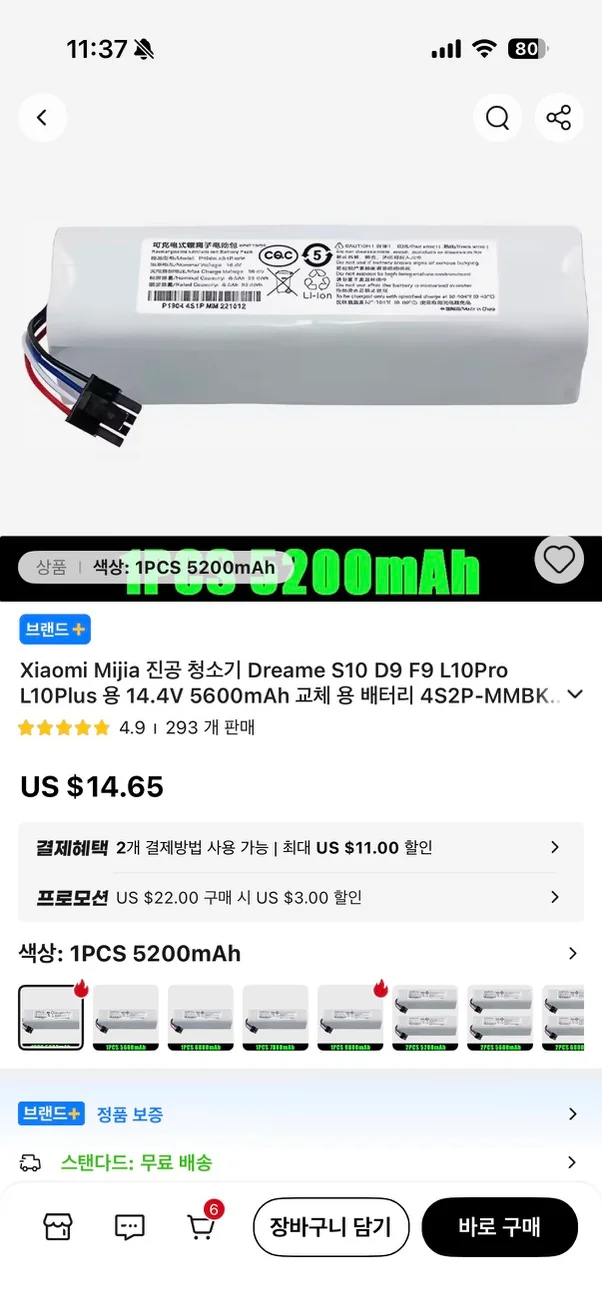 The title says 5600mAh. The option I selected says 5200mAh. Two numbers, same screen.
A Week Without the Vacuum
I ordered on July 20th and waited about a week for the battery to arrive. That week taught me one thing. Without this vacuum, dust piles up in the house, and it’s annoying. The robot vacuum took a break. The dust didn’t.
A Few Screws, One Connector
On July 27th, I flipped the vacuum over. The process was almost anticlimactically short.
- Flip the vacuum over and unscrew the bottom cover.
- Lift the cover off, and the battery is right there above the main brush.
- Pull out the old battery and unplug the connector.
- Connect the new battery and close the cover back up.
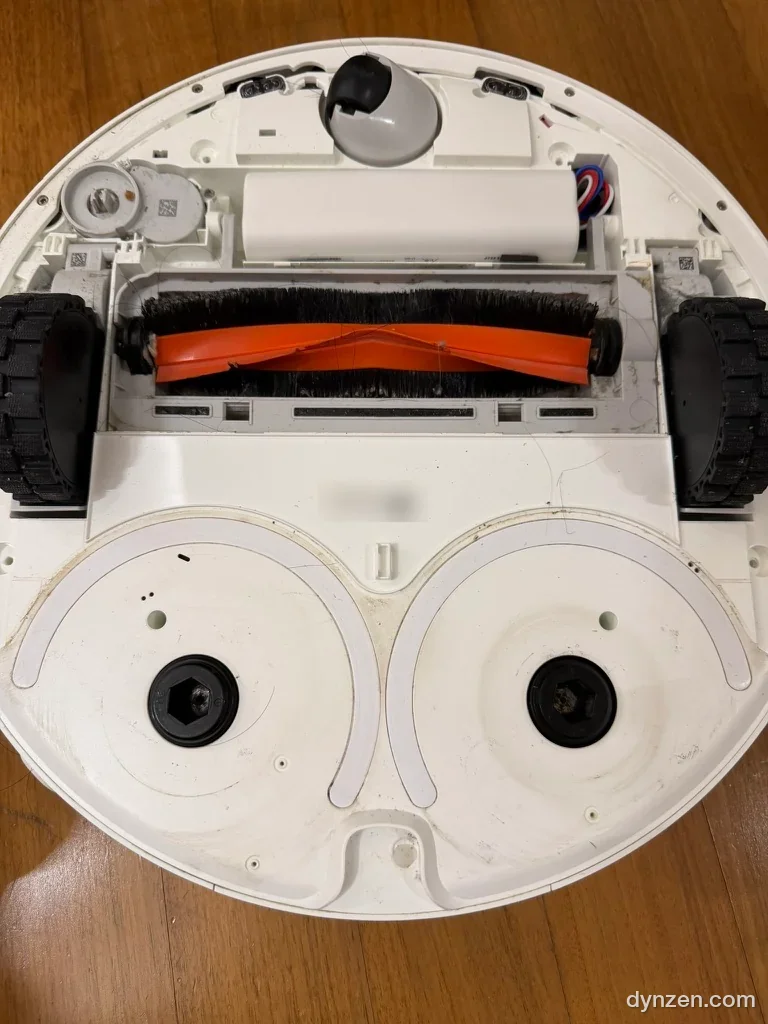 Cover off. A white cylindrical battery lay right above the main brush.
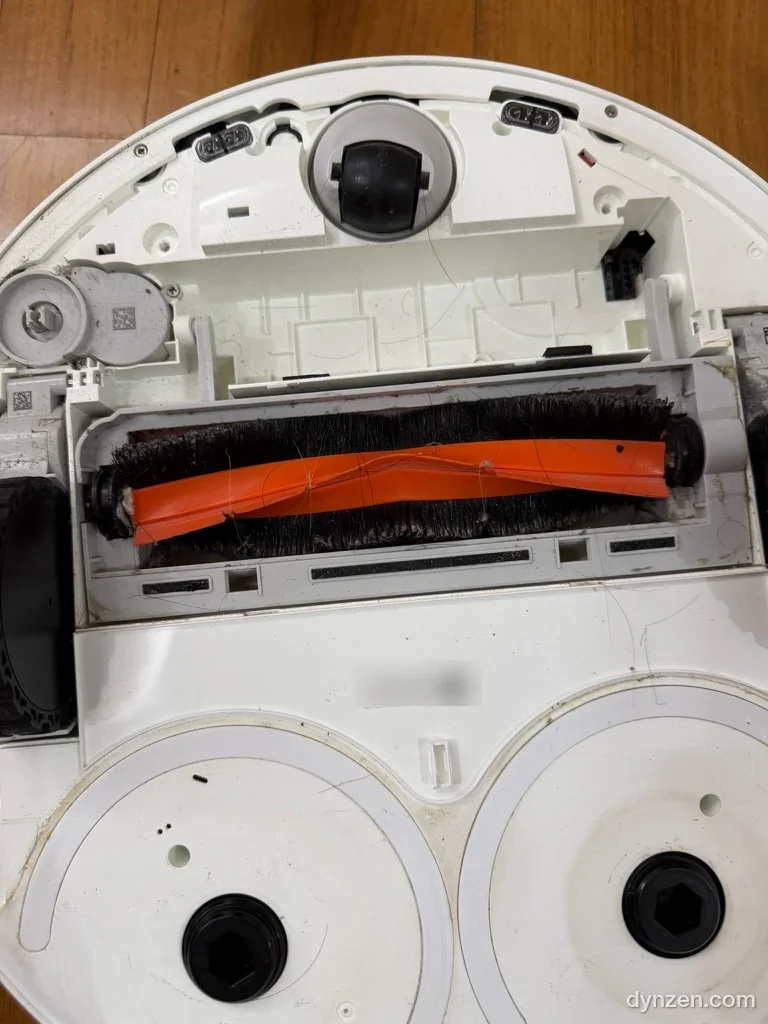 Battery bay, empty. Plug the new battery into the black connector at the top right and that’s it.
Once the screws were out, the cover came off easily. Swap the battery and it’s done. The problem I’d been considering a service center visit over was sitting just a few screws deep.
The Moment It Left the Dock Again
With the new battery in, the X10+ went back to normal right away. This time, it didn’t stop when it left the dock. Watching it roam the house again made me genuinely happy.
If you’re seeing the same symptom, here’s the order I’d suggest: if it charges on the dock but stops the moment it leaves, check the battery before sending it to a service center. And if you’re heading out on a long trip, it’s worth keeping the official FAQ’s power advice in mind.
If anyone’s solved the same symptom a different way, I’d like to hear about it in the comments.
Over a week’s worth of dust, the vacuum carved its path again.
🔗 References
- Xiaomi Robot Vacuum X10+ Specs — unit model B101GL, rated voltage 14.4V
- Xiaomi Robot Vacuum X10+ FAQ — 5200mAh (rated) lithium battery; if unused for a long time, turn it off and charge at least once every 3 months to prevent over-discharge damage
- GeeWiz: Replacement Battery 4S2P MMBK Compatible with Xiaomi X10+ — an overseas seller listing the 4S2P-MMBK battery as X10+ compatible
- Okinawa 6 Nights 7 Days, Two Families: Itinerary & Costs