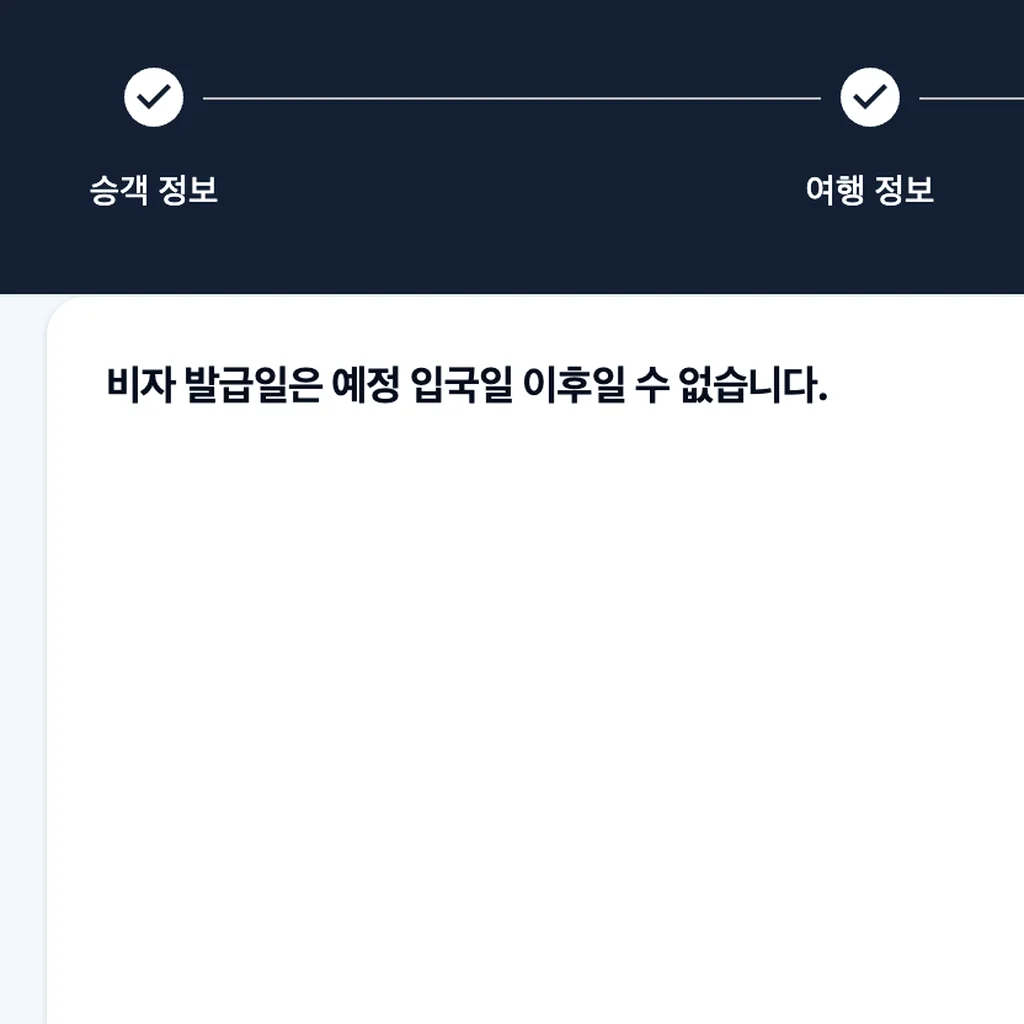
 Every step had a checkmark until this one. Then it stopped.
Direct Answer & TL;DR
One day before departure (September 28), Vietnam’s online arrival card (PAI) threw this on the results screen: “The visa issue date cannot be after the expected arrival date.” I’m visa-free — the error seems to have fired because the auto-filled issue date matched my arrival date. Here’s how I got past it.
- In the visa info section, briefly switch visa type/purpose to E-Visa, the top option. The grayed-out issue date field opens.
- Change the issue date to the day before arrival.
- Switch the visa type back to Unilateral exemption.
- Submit. It goes through, and you get a QR code.
The next day, immigration at Hanoi’s Noi Bai airport had no problem with it at all. Nobody even asked to see the QR code.
Table of contents
A Visa Error the Day Before Departure
The day before departure, I filled in Vietnam’s PAI step by step. Passenger info, trip info, review and submit. Each step got its checkmark. Then the results screen threw this:
The visa issue date cannot be after the expected arrival date.
I don’t have a visa. I’m entering visa-free. So a visa-issue-date error showed up for someone with no visa to issue. At first I had no idea what it meant.
PAI (Pre-arrival Information) is an online arrival card (entry declaration) run by the immigration department under Vietnam’s Ministry of Public Security. It launched as a pilot on April 15, 2026 at Ho Chi Minh City’s Tan Son Nhat Airport, then rolled out to more airports. Hanoi’s Noi Bai joined June 8. You can register starting 3 days (72 hours) before arrival, and finishing gets you a QR code. You show it with your passport at immigration.
| Item | Detail |
|---|---|
| Official site | https://prearrival.immigration.gov.vn |
| When to register | From 72 hours before arrival |
| Airport rollout | Ho Chi Minh City Apr 15, Phu Quoc Jun 1, Hanoi Jun 8, Da Nang Jun 15 |
| Result | QR code, shown with passport at immigration |
| For Korean passport holders | Visa-free for tourism up to 45 days |
When the error hit, I first assumed I’d picked the wrong option in the visa type/purpose field of the visa info section. I’d chosen Unilateral exemption, which looked like PAI’s label for the one-sided visa waiver Vietnam grants Korean nationals. That wasn’t the cause.
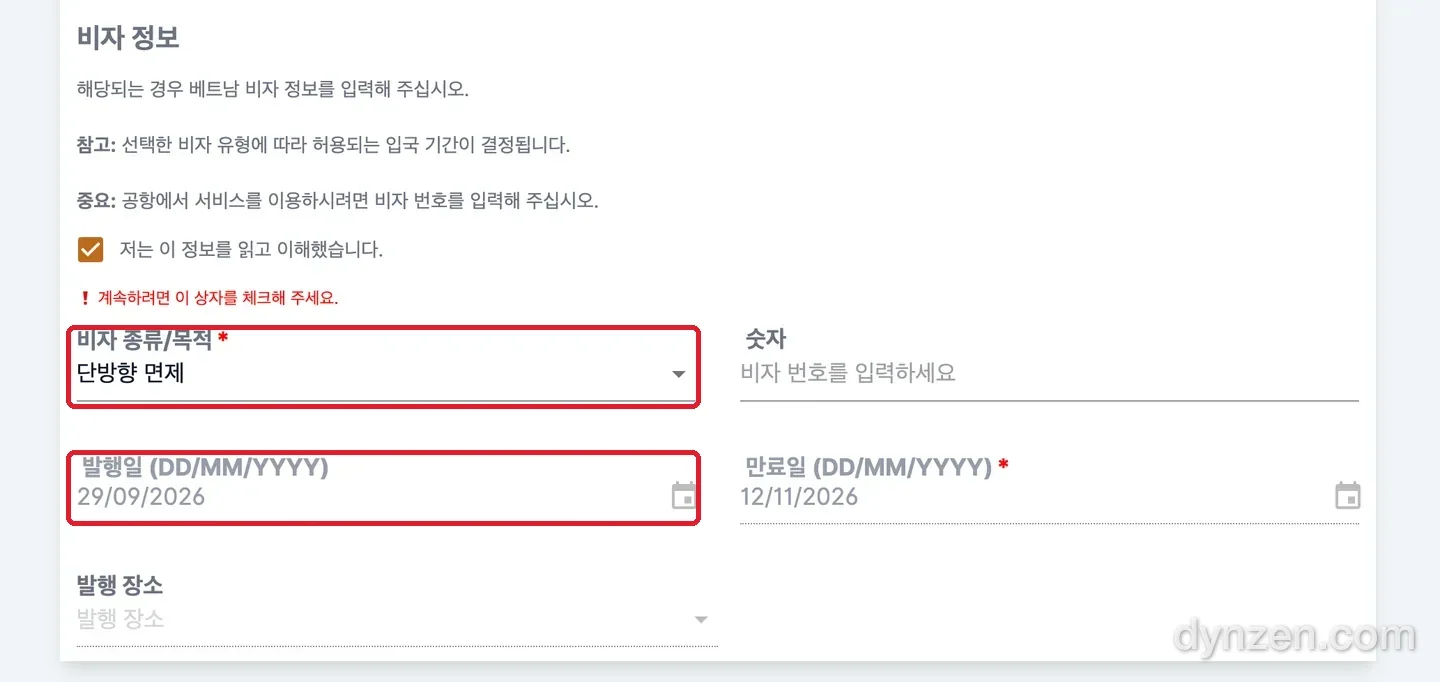 The top field is Unilateral exemption. The gray one below is the issue date.
Looking again, the issue date field was pre-filled with 29/09/2026, the same as my arrival date. Both dates matching looked like the problem. With Unilateral exemption selected, that field couldn’t be edited at all.
Over to E-Visa and Back
Everything happens inside the visa info section. Here it is as a 25-second video first.
From the error screen to submit.Step 1. Switch the visa type to E-Visa
Tap the visa type/purpose field to open the list. Pick E-Visa at the top. The grayed-out issue date field unlocks.
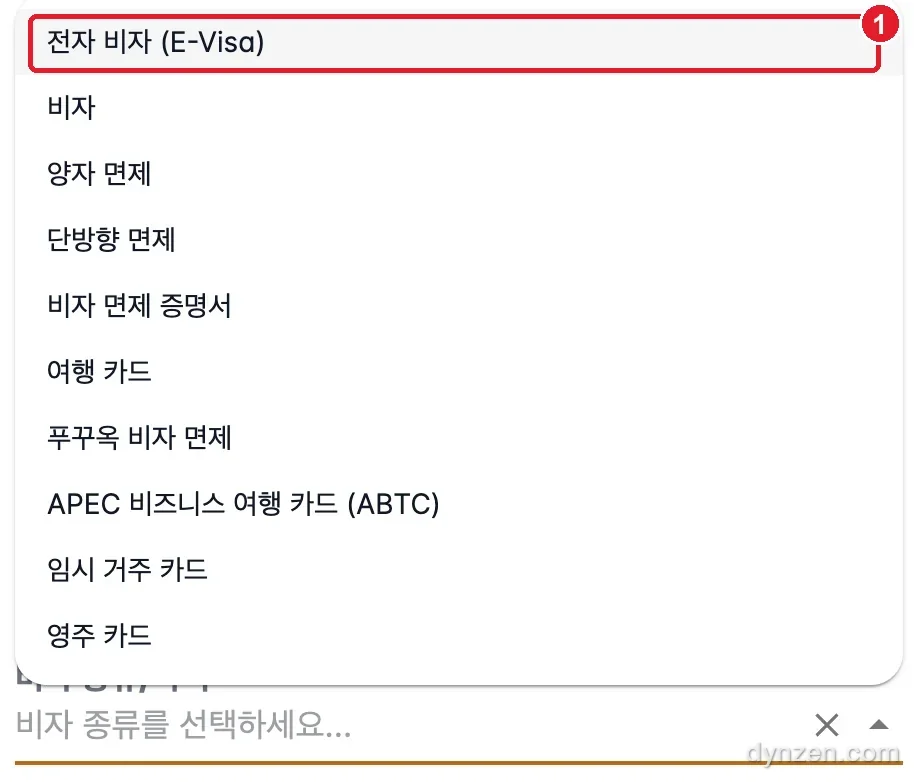
Step 2. Set the issue date to the day before arrival
In the unlocked issue date (DD/MM/YYYY) field, enter the day before arrival. My arrival was 29/09/2026, so I changed it to 28/09/2026. Day, month, year, in that order.

Step 3. Switch the visa type back to Unilateral exemption
Open the same list again and pick Unilateral exemption, the fourth option. I’m going visa-free, so this is just back to my original choice.
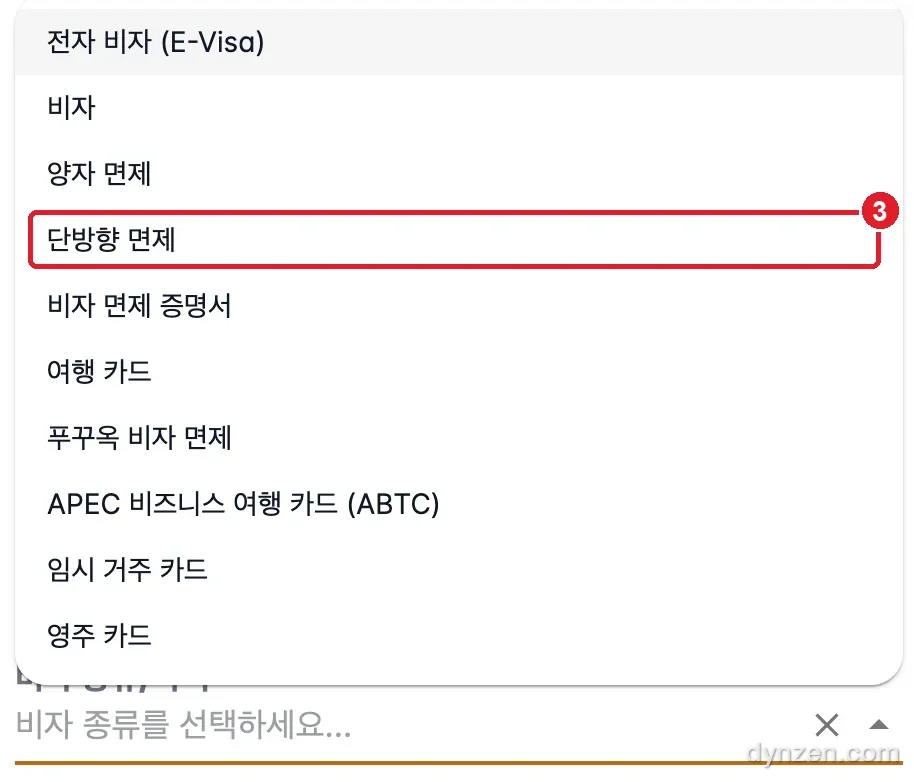
Step 4. Check both fields and submit
Switching the visa type back left the issue date as I’d set it. I submitted like that. No error, and the QR code came up.
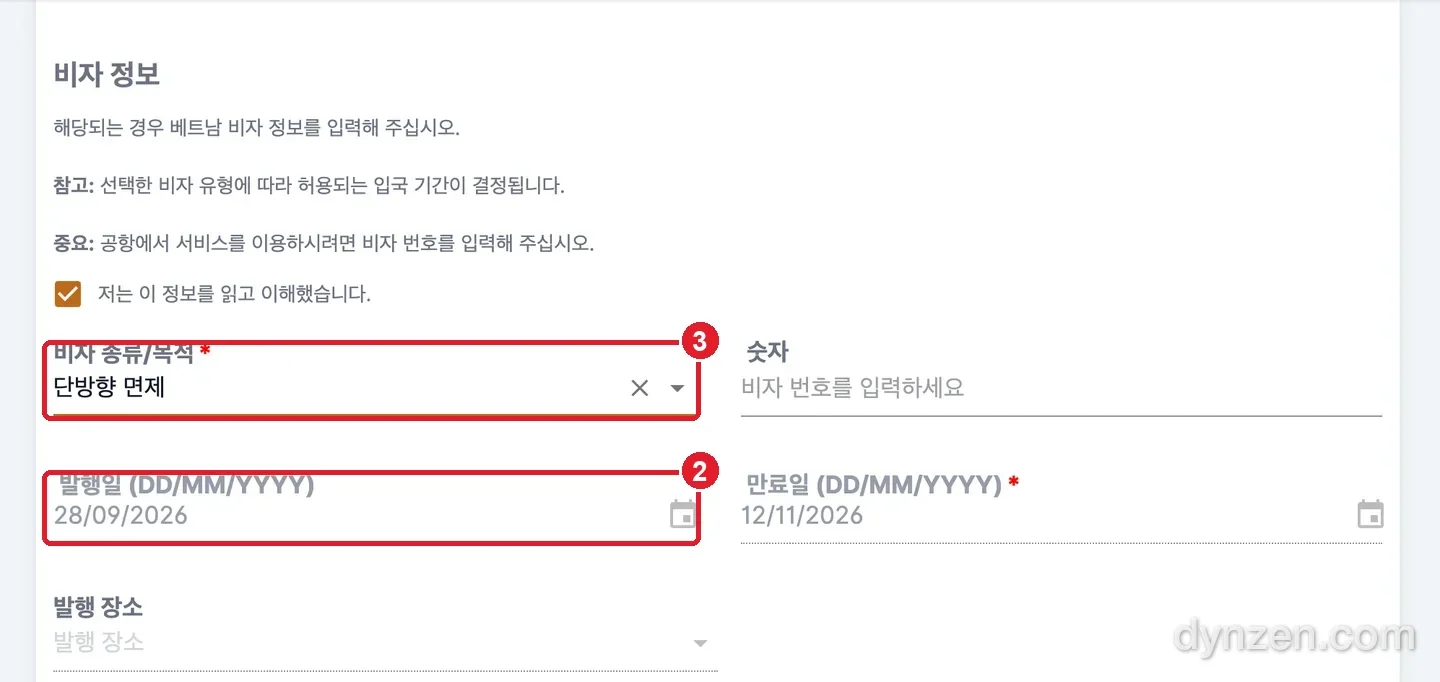 ② Issue date 28/09/2026, ③ visa type Unilateral exemption.
| When it errored | When it went through | |
|---|---|---|
| Visa type/purpose | Unilateral exemption | Switched to E-Visa to edit the date → back to Unilateral exemption |
| Issue date | 29/09/2026 (auto, uneditable) | 28/09/2026 (day before arrival) |
| Result | “The visa issue date cannot be after the expected arrival date” | Submission went through |
I couldn’t find an explanation for this error in any official guidance. In my case, moving the issue date back one day fixed it.
The Next Day, at Noi Bai Immigration
September 29, Hanoi’s Noi Bai airport. I stood at immigration with the QR code I’d gotten by moving the issue date back a day.
Immigration had no problem with it at all. Nobody even asked to see the QR code.
Frequently Asked
Q. Can changing the issue date cause trouble at immigration? Not in my case. At Noi Bai airport on September 29, 2026, there wasn’t even a QR check. It can vary by airport and date, so it’s still worth keeping the QR code on hand.
Q. What date should I put as the issue date? I used the day before arrival and it went straight through. I couldn’t find an explanation for this error in any official guidance.
Q. Can I register a week early to get it out of the way? No. You can’t even select a date earlier than 72 hours before arrival. 2–3 days before departure works fine.
Q. If the error shows up, did I pick the wrong “Unilateral exemption”? Not in my case. I submitted with Unilateral exemption as-is, and I entered the country fine. The problem was the issue date field, locked and uneditable in that state.
🔗 References
- Vietnam Ministry of Public Security - Immigration Department launches Pre-arrival Information System — PAI piloted April 15, 2026 at Tan Son Nhat, registration from 3 days before arrival, QR code issued, official site address
- Chao Vietnam (Korean-language) - Vietnam’s entry procedure changes on July 1 — PAI rollout dates by airport (Hanoi from June 8, etc.), 45-day visa-free entry for Korean nationals
- 4-Person Hanoi–Sapa 7N8D Booking Breakdown (#1)